
The popular advice is simple: replace the password with a fingerprint and you'll get better security with less friction. That advice is incomplete. A fingerprint can make everyday sign-in easier, but it doesn't solve device loss, shared workstations, cross-platform access, account recovery, or abuse after authentication succeeds.
For SaaS founders, the comparison at hand isn't password versus fingerprint. It's whether your entire identity lifecycle remains resilient when the preferred device isn't available, when a user can't complete biometric verification, or when an attacker reaches a valid account through a fallback path. Consumer behavior clearly favors biometrics, yet product teams still need passwords, PINs, recovery controls, and inline screening to operate a dependable authentication system.
| Evaluation area | Password or PIN | Fingerprint biometric |
|---|---|---|
| Daily user effort | Requires entry, storage, or autofill | Usually quick on a personal supported device |
| Credential exposure | Can be stolen, guessed, reused, or phished | Biometric template generally stays on the device |
| Cross-device access | Broad compatibility | Depends on device, platform, and authenticator support |
| Shared workstation use | Practical when managed carefully | Often unavailable or unsuitable |
| Recovery | Familiar, but reset links can be attacked | Requires a secure fallback and device recovery path |
| Abuse visibility | Needs backend signals around login | Still needs backend screening around the event |
| Best fit | Broad compatibility and fallback | Low-friction access on trusted personal devices |
Table of Contents
- How Modern Authentication Flows Behave in Practice
- Structural Fragility of Knowledge-Based Access
- Evaluating Biometric and Credential Tradeoffs
- The Gap Between Consumer Trust and Deployment
- Real-World Scenarios for Signup and Checkout
- Securing the Flow with Inline Screening Layers
- Strategic Recommendations for Product Teams
How Modern Authentication Flows Behave in Practice
Biometrics have not replaced passwords across SaaS. They have shifted user expectations about where authentication should occur. On a personal phone, a fingerprint or face check can confirm an action quickly. In a B2B application used on a shared laptop, managed workstation, or support terminal, the same method may be unavailable or unsuitable.
A 2024 survey of U.S. smartphone users found that 22% used fingerprint access and 32% used face access, meaning 54% used one of those biometric methods for everyday phone access in that sample. Mobile banking showed stronger adoption, with 89% of UK mobile-banking app users authenticating primarily with fingerprint or facial recognition rather than a password or PIN, according to UK Finance. These figures describe behavior on controlled, personal devices. They do not establish that a biometric-only SaaS flow will work across every customer environment.
The harder cases appear in lifecycle operations. A user loses a phone. An employee changes operating systems. A contractor signs in from a shared workstation. A finance team needs access while replacing a device. Each situation tests enrollment, device binding, revocation, and recovery. If recovery relies on a weak email link or reused password, the product has transferred risk to another stage of the account lifecycle.
Practical rule: Treat fingerprint verification as a strong user interaction, not as the complete identity strategy.
Passkeys make the architecture clearer. They can use a fingerprint or local PIN to authorize a cryptographic credential, while the authenticator retains the private key and the service verifies the public key. This can reduce phishing exposure, but it does not remove operational decisions around enrollment, device replacement, revocation, or recovery.
Inline screening should cover the fallback gaps. Evaluate device, session, velocity, and account signals when a user enrolls a new authenticator, recovers access, or reaches a sensitive action. The product question is not whether the password can disappear. It is whether users can regain access without creating a weaker route than the one removed.
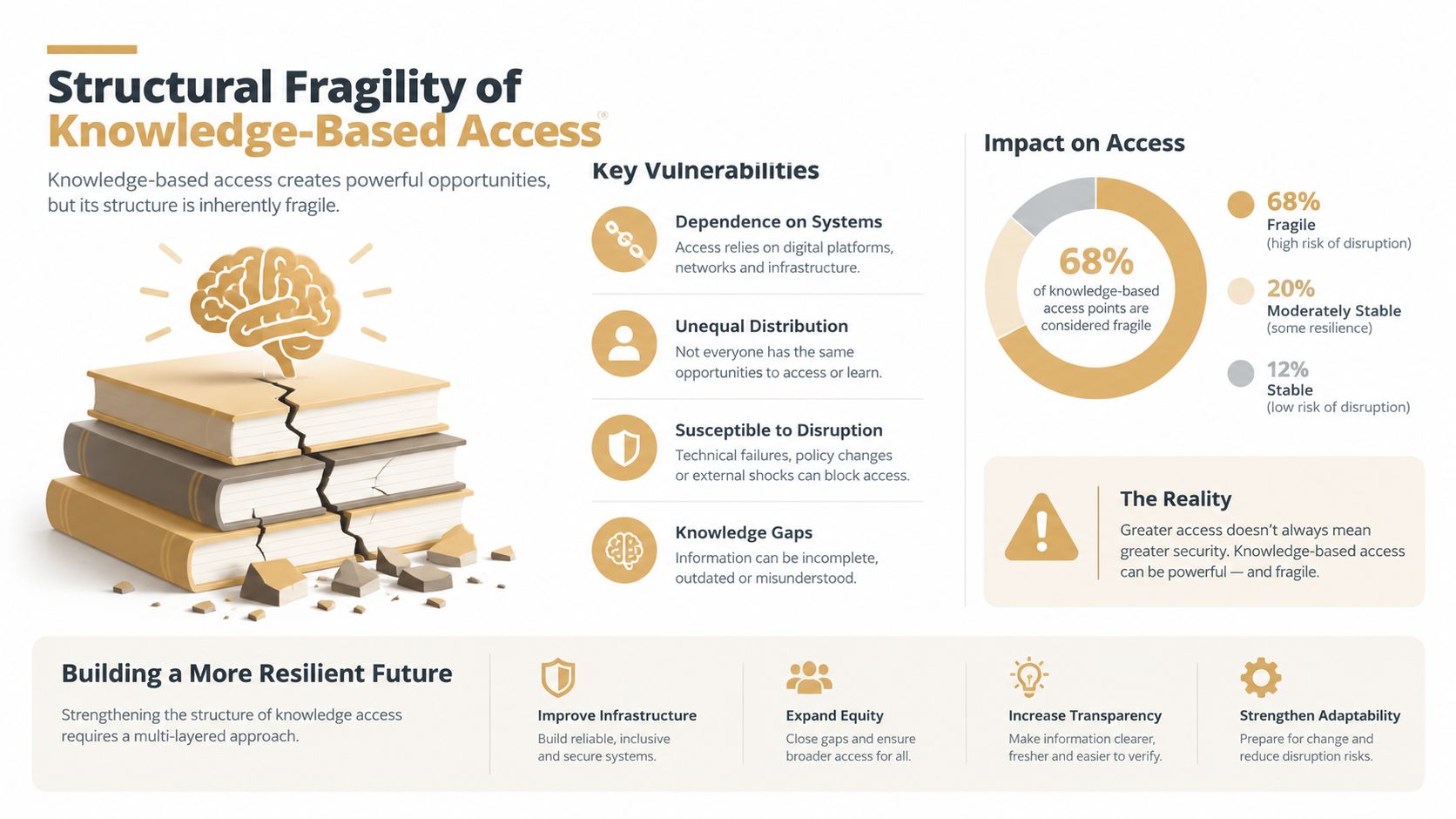
Structural Fragility of Knowledge-Based Access
Passwords are not merely a login control. They are reusable account secrets that must survive enrollment, storage, recovery, support, and every sign-in attempt. A secret can be guessed, phished, exposed in a breach, or reused across services. Once attackers acquire a valid pair, the login endpoint may see an ordinary username and password unless the product evaluates signals that separate a real user from automated replay.
Recent breach reporting linked stolen, weak, or reused credentials to 22% of breaches in the 2024–2025 period, while 88% of basic web application attacks involved stolen credentials, according to password security research. The operational lesson for SaaS teams is direct. Attackers do not need to defeat password storage if they can test credentials obtained elsewhere against signup, login, or recovery flows.
Reuse makes the problem broader than the original breach. A password-analysis study identified 19,030,305,929 leaked passwords across roughly 200 incidents between April 2024 and April 2025, with only 6% unique. Exposed credentials are therefore overwhelmingly duplicates, so a breach at an unrelated service can become a takeover campaign against your application.
Why credential stuffing reaches product operations
Credential stuffing is an automation problem that extends beyond the login screen. Attackers submit collections of email and password pairs, identify accounts that authenticate, then test those accounts against valuable actions such as changing billing details, creating API keys, exporting data, starting trials, or consuming AI credits.
The operational cost spreads across the company. Support handles locked accounts and suspicious changes. Trust and Safety reviews spam created through compromised accounts. Finance investigates payment activity, while growth teams see free-trial resources consumed by people who never intended to become customers.
A password policy improves newly created secrets, but it cannot invalidate credentials exposed at another service. Multi-factor authentication raises the attacker's workload, yet enrollment and recovery remain targets. The account takeover guidance explains why product teams need controls across the full takeover path, rather than only at the initial password check.
What password-only design gets wrong
Password-only authentication treats possession of a secret as sufficient evidence of identity. That assumption fails under credential reuse, automated attempts, phishing, and social engineering. It also pushes teams toward convenient recovery, which can create weak reset links, predictable support procedures, or an email account that becomes the practical master key.
The safer design keeps password verification in proportion. A successful check confirms that the submitted credential was accepted. It does not establish that the signup, trial, login, recovery, or payment action fits the account's established behavior.
Lifecycle controls and inline screening close that gap. Check device binding, session history, velocity, account age, and action sensitivity when users recover access, add an authenticator, or perform a high-impact change. The goal is not to remove passwords on principle. It is to prevent a fallback route from becoming easier to abuse than the authentication method it replaces.
Evaluating Biometric and Credential Tradeoffs
A useful comparison starts with product conditions rather than slogans. Ask where users sign in, whether they control the device, how often they switch devices, and which actions deserve stronger assurance. Fingerprint authentication often wins on a personal smartphone because the user has already enrolled a local biometric and expects a quick confirmation. Passwords and PINs remain more adaptable when the device is shared, the platform is inconsistent, or the user needs a recovery method.
The smartphone authentication usability research found that most participants preferred fingerprint access over PIN and rated it as more secure and convenient. The same research described fingerprint as the fastest method to learn, with a mean learning time of 5.7 seconds. That supports a strong UX case, but it doesn't eliminate implementation work.
| Evaluation Criteria | Password / PIN | Fingerprint Biometric |
|---|---|---|
| Enrollment timing | Can happen during account creation, but users must choose and remember a secret | Usually depends on prior device enrollment or a prompt at a suitable moment |
| Cross-device synchronization | Works across devices if the user remembers it or uses a manager | Depends on the operating system, authenticator, sync behavior, and browser support |
| Shared device handling | Available to each authorized user, though local storage and privacy need care | Usually tied to the device's enrolled users, making shared access difficult |
| Device loss | Recovery is familiar, but reset channels become high-value attack targets | Requires device replacement, authenticator recovery, or a deliberate fallback |
| Phishing exposure | Vulnerable when users enter the secret into a deceptive site | Stronger when used through an origin-bound passkey flow |
| Accessibility and failure modes | Can work when a sensor is dirty, damaged, unavailable, or unsuitable | Can fail because of hardware, posture, gloves, injury, enrollment, or policy |
| Operational control | Easy to revoke and replace server-side | Requires credential and device lifecycle management |
| Best product fit | Broad compatibility, fallback, and shared environments | Personal devices, frequent mobile use, and low-friction repeat access |
Enrollment is a product moment
A biometric prompt shown too early can interrupt signup before the user understands the value of the product. A prompt shown immediately after a successful action can feel like a helpful shortcut. The 2025 identity trends report notes that adoption tends to spike when users are prompted after a successful action, while poor timing leads to ignored prompts. It also reports that most adoption occurs on mobile, with only around 20% on desktop, a material constraint for desktop-heavy SaaS.
Recovery determines the real security level
A fingerprint is not a portable secret that your server can reset. The system must handle device replacement, account sharing policies, administrator access, and fallback verification. If every biometric failure sends the user to a weak password reset, attackers will target the reset route instead.
Passwords also have a place in a layered flow. They provide compatibility and recovery, but the backend should watch for unusual device changes, repeated attempts, impossible account behavior, and high-risk actions after login. The strongest design usually lets the user choose the low-friction path while applying greater scrutiny when the surrounding evidence doesn't fit.
The Gap Between Consumer Trust and Deployment
Consumer trust has moved faster than organizational migration. A 2025 identity report summarized in independent coverage found that 71% of users chose fingerprint as the most secure login method, while 68% reported password reuse because unique passwords are difficult to remember. That combination creates a clear product signal. Users want the convenience and perceived security of biometrics, yet they still live in systems where passwords remain part of the account lifecycle.
The same source describes a more complicated deployment picture. 43% of respondents viewed passkeys as too complex, which points to provisioning, device switching, and recovery rather than the biometric gesture itself. A separate 2026 report cited in that coverage said 87% of organizations still use password-based authentication for customer applications, while only 2% believed passwords effectively balance security and user experience. These figures should discourage binary planning. Teams aren't choosing between a finished password world and a finished passwordless world.
The fallback path is the attack surface
A biometric flow can be excellent until the user loses access to the authenticator. Then the product needs to answer difficult questions:
- Device loss: Can the user revoke the old device and enroll a replacement without exposing the account?
- Cross-device access: Can a user on a desktop authenticate from a phone without confusing or risky handoffs?
- Shared workstations: Can multiple employees use the product without binding access to one person's biometric profile?
- Administrative recovery: Can support restore access using evidence stronger than an email address and a plausible story?
- High-impact actions: Does changing payout details, exporting data, or creating credentials require a fresh verification step?
A secure primary authenticator paired with a weak recovery process creates false confidence. The user experiences a fingerprint, but the attacker searches for the reset email, support workflow, or alternate login method.
Biometric adoption reduces routine friction only when the product makes exceptional journeys safe enough to trust.
Hybrid flows are not a compromise
A hybrid model can offer fingerprint or passkey authentication on supported personal devices, retain password or PIN access where compatibility requires it, and apply event-level screening to both. The backend should treat each method as evidence within a broader decision, not as an unconditional allow signal.
That approach also respects different customers. A mobile-first consumer app can prioritize biometric prompts. A B2B product with shared terminals, browser restrictions, or workforce policies may need passwords, security keys, or administrator-managed recovery. The right design follows the environment rather than forcing every user into the same credential model.
Real-World Scenarios for Signup and Checkout
Consider a mobile health application. The team chooses swipe-style fingerprint login because it appears more convenient than a PIN. In the cited mobile health authentication study, swipe-style fingerprint login was the slowest option, averaging 26.97 seconds, with 1.46 errors per attempt and an 85% successful login rate. PIN and pattern-lock methods performed faster and received higher usability scores in that context.
The lesson is that fingerprint slowness is not intrinsic. Interaction, hardware, enrollment quality, and user context determine the outcome. Product teams should measure the complete journey, including failed attempts and fallback, rather than assuming a biometric label guarantees low friction.
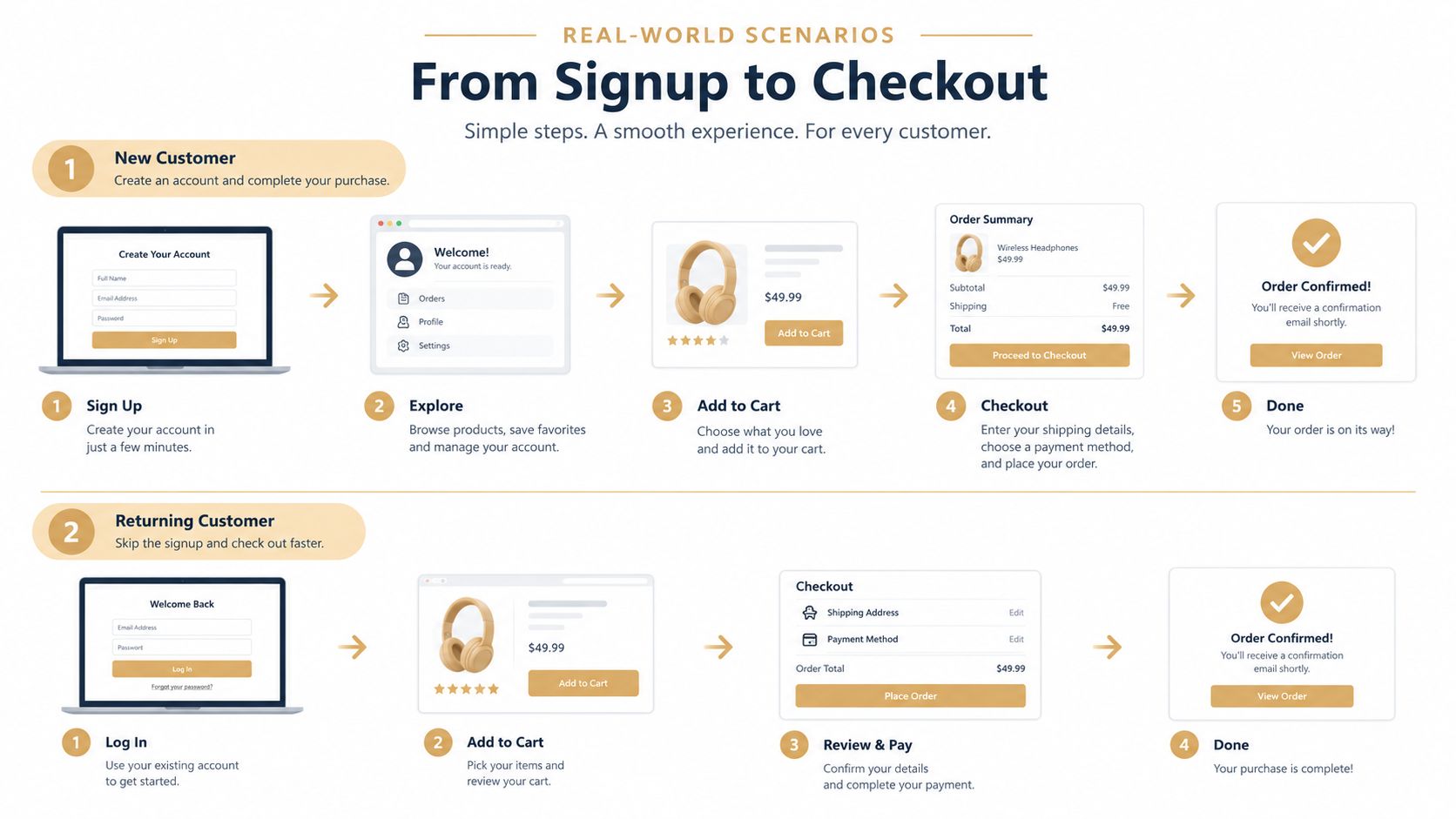
Signup and trial activation
At signup, asking for a fingerprint before the user understands the product can add commitment without adding immediate value. A better sequence is to create the account, complete a meaningful action, and then offer biometric or passkey enrollment as a shortcut for the next visit. The prompt should explain what it enables and provide a clear alternative for unsupported devices.
That timing matters for abuse prevention too. A scripted actor can complete enrollment just as easily as a legitimate user if the application treats biometric setup as proof of trust. Gate trial creation and credit allocation using signals around the event, including device continuity, email history, and payment context where appropriate. A guide to adding device fingerprinting at signup provides a useful implementation lens, because the identity of the device can remain relevant even when the login method changes.
Returning users and checkout
On a returning mobile user's device, fingerprint confirmation can reduce the effort between product intent and checkout. The system should still distinguish authentication from authorization. A valid biometric read may establish that the local device approved the credential, but the checkout layer should evaluate whether the payment instrument, device, account, and order behavior align.
For a desktop buyer, a password, passkey, or phone-assisted flow may be more practical. The fallback should avoid forcing a user through repeated resets, while high-risk changes can require additional verification. Keep the interface predictable: offer the preferred method first, explain why a fallback is needed, and don't silently turn a failed biometric check into an unprotected session.
Securing the Flow with Inline Screening Layers
Authentication answers one question: did a credential or authenticator produce an acceptable proof? It doesn't answer whether the actor should receive a free trial, consume AI credits, create an account, or capture a payment. Those decisions belong at the event boundary, before the product commits the resource.
An inline screening layer should sit in front of actions such as signup, trial_start, trial_convert, checkout_attempt, and login. It should return a deterministic outcome, such as allow, review, or block, with reason codes that product and fraud teams can inspect. Low latency matters because a decision that arrives after account creation or payment capture becomes cleanup rather than prevention.
Build identity continuity beyond the email address
Email is an account attribute, not a complete identity. A user can create another address, while a device token, card fingerprint, or payer wallet may connect activity across re-enrollment attempts. IP can be useful as context, but it shouldn't carry the entire identity model because networks change and legitimate users often share them.
A practical event payload should connect:
- Account identifiers: Email, account ID, organization, and session context.
- Device signals: A stable device token and relevant platform information.
- Payment artifacts: Card fingerprint or payer wallet where the action involves payment.
- Event history: Previous signups, trials, logins, reviews, and confirmed abuse.
- Requested action: The exact resource or financial operation the user wants to perform.
The resulting abuse graph lets the system recognize repeated activity across different emails. Cluster marking can propagate confirmed abuse signals to linked identities and devices, while a review queue gives operators a place to inspect ambiguous cases.
Keep the decision explainable
Opaque risk scores create a second interpretation problem. A reason such as “device linked to repeated trial attempts” gives an operator something actionable. A deterministic verdict also makes policy testing easier, because the team can identify which condition caused a block or review and adjust it without guessing at a hidden model.
Portreeve is one example of this inline approach. Its Verdict API evaluates signup, trial, checkout, and login events, returns allow, review, or block decisions with reason codes, and retains tenant-scoped history in an abuse graph. Teams considering fraud detection software should evaluate where the decision runs, what identity keys it retains, how it fails during degradation, and whether reviewers can inspect the evidence behind each outcome.
Strategic Recommendations for Product Teams
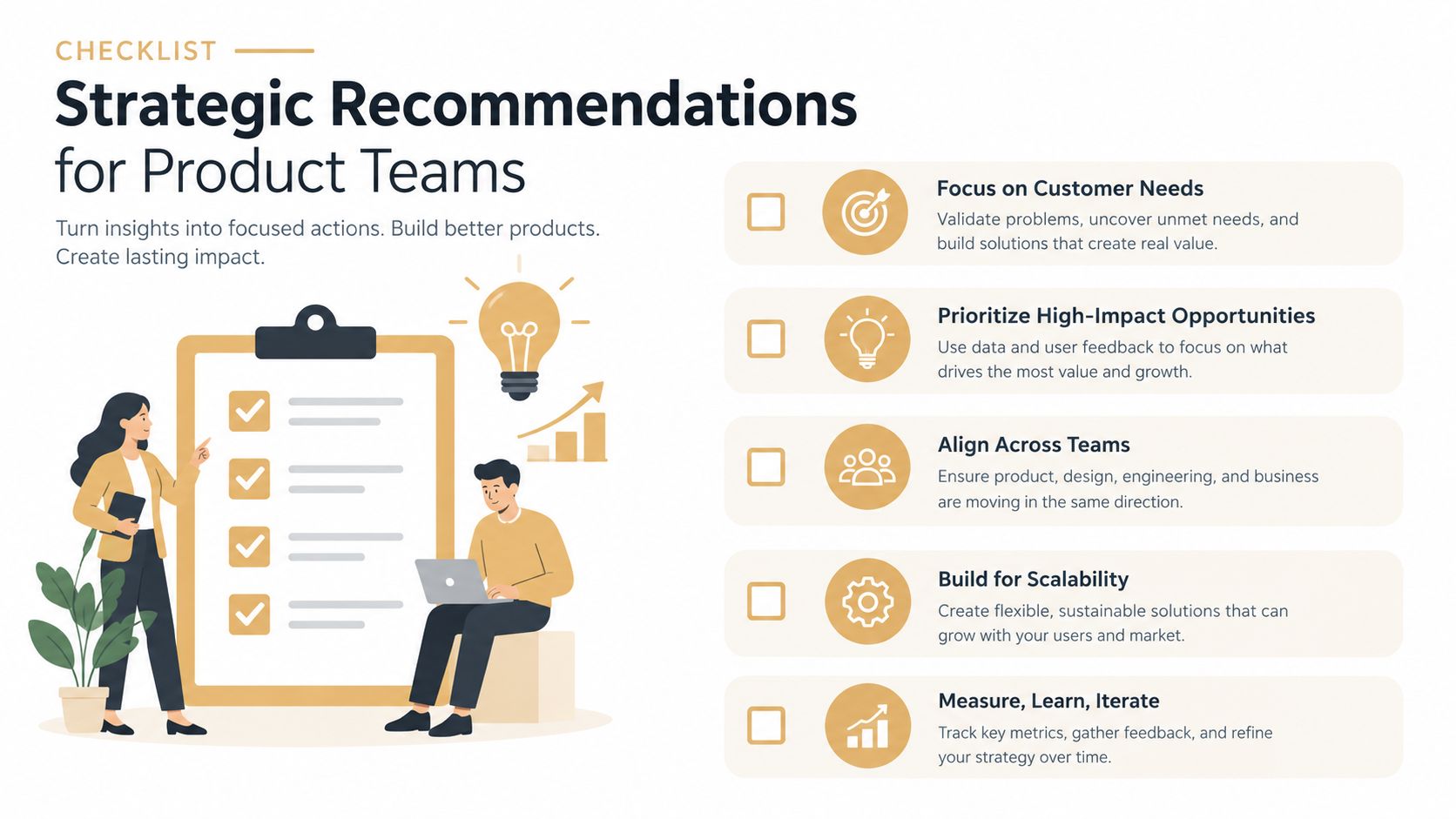
Choose the authentication experience according to the environment, then protect the business action separately. Fingerprint or passkey access is a strong default for personal mobile devices and repeat sessions. Passwords or PINs remain valuable for compatibility, shared workstations, managed environments, and recovery, provided the surrounding flow detects suspicious use.
Use this operating checklist:
- Enroll after value: Offer biometric setup after a successful action, not as an unexplained barrier at the first screen.
- Design recovery first: Define device revocation, replacement, support escalation, and administrator procedures before launch.
- Separate proof from permission: A successful login shouldn't automatically authorize trial credits, data export, payout changes, or payment capture.
- Link activity across identities: Use device and payment signals alongside email to detect serial re-enrollment and account cycling.
- Explain intervention: Return clear reason codes and give reviewers enough event history to resolve ambiguous cases consistently.
The practical position is straightforward. Don't ask whether passwords or fingerprints are universally superior. Choose the lowest-friction authenticator your users can reliably use, preserve a secure fallback, and screen the actions that create financial, operational, or resource exposure. That layered strategy works during the incomplete transition to passwordless access because it protects the lifecycle rather than just the login screen.
Portreeve evaluates signups, trials, checkouts, and logins inline, returning allow, review, or block decisions with reason codes before the action commits. Visit Portreeve to see how device tokens, payment-linked identities, and persistent abuse history can close the fallback gaps around password and fingerprint authentication.