
You've got a Gmail address, a vague complaint, or a sign-up that feels off, and you want a lawful way to tell whether there's anything real behind it. That instinct is right, but gmail reverse lookup is usually not a clean identity search. It's an observability check, because a Gmail address often gives you only the public signals the owner has exposed, not a neat name, employer, or profile you can trust outright.
That's the practical shift that saves time. Gmail sits inside Google's identity layer, so a single address can sometimes surface a public name, profile photo, or other account artifacts, and some reverse-lookup tools explicitly pull from public Google-account metadata such as name, Gaia ID, Maps contributions, public Calendar, and Play Games data GHunt's Google account lookup overview. But the same address can also be a dead end when the account is private, fresh, or never connected to public services. In those cases, the right question isn't “Who is this?” It's “What can I safely infer, and is it enough to verify the next step?”
Table of Contents
- Introduction to Gmail Reverse Lookup and What It Can Realistically Reveal
- Why Gmail Addresses Are Harder to Enrich Than Business Emails
- Practical Methods to Investigate a Gmail Address Without Breaking Policy
- Choosing the Right Enrichment and Verification Approach for Gmail
- Lawful Tips and Privacy Guardrails for Gmail Investigations
- Conclusion and Next Steps for Screening Gmail Signups at Scale
Introduction to Gmail Reverse Lookup and What It Can Realistically Reveal
A Gmail address tempts people into expecting a clean answer. In practice, a bare gmail.com inbox is usually a weak identifier, because it belongs to a consumer identity layer rather than a business directory. The useful signal appears only when the owner has left public breadcrumbs across Google services or other sites, and those breadcrumbs are often partial.
Public signals are useful, identity proof is not
The strongest Gmail reverse lookup results usually come from public profile visibility, not from the mailbox itself. A public Google profile, a profile photo, or a linked account can reveal enough to let a human investigator cross-check a name, but that still isn't proof of ownership. A Gmail address can be observable without being reliably attributable, and that distinction matters when the next action is moderation, outreach, or trust review.
Practical rule: treat the address as evidence of visibility, not evidence of identity.
That framing is especially useful in abuse triage. If a Gmail address shows public artifacts, you may have enough to justify a verification step or a manual review. If it doesn't, chasing a name with a single tool usually wastes time and creates overconfidence.
Lawful OSINT keeps the scope tight
Lawful investigation starts with what's public, what's consented, and what's directly relevant to the case. Reverse lookup becomes a way to assess whether the address is connected enough to the open web to support follow-up validation. That's different from trying to force a person match from one inbox.
The most reliable outcome is often a narrow one. You learn whether the Gmail address is tied to a public identity trail, whether the trail is strong enough to justify cross-checking, and whether you should stop there. That approach keeps you out of dead ends, and it keeps your decision-making tied to observable signals instead of wishful certainty.
Why Gmail Addresses Are Harder to Enrich Than Business Emails
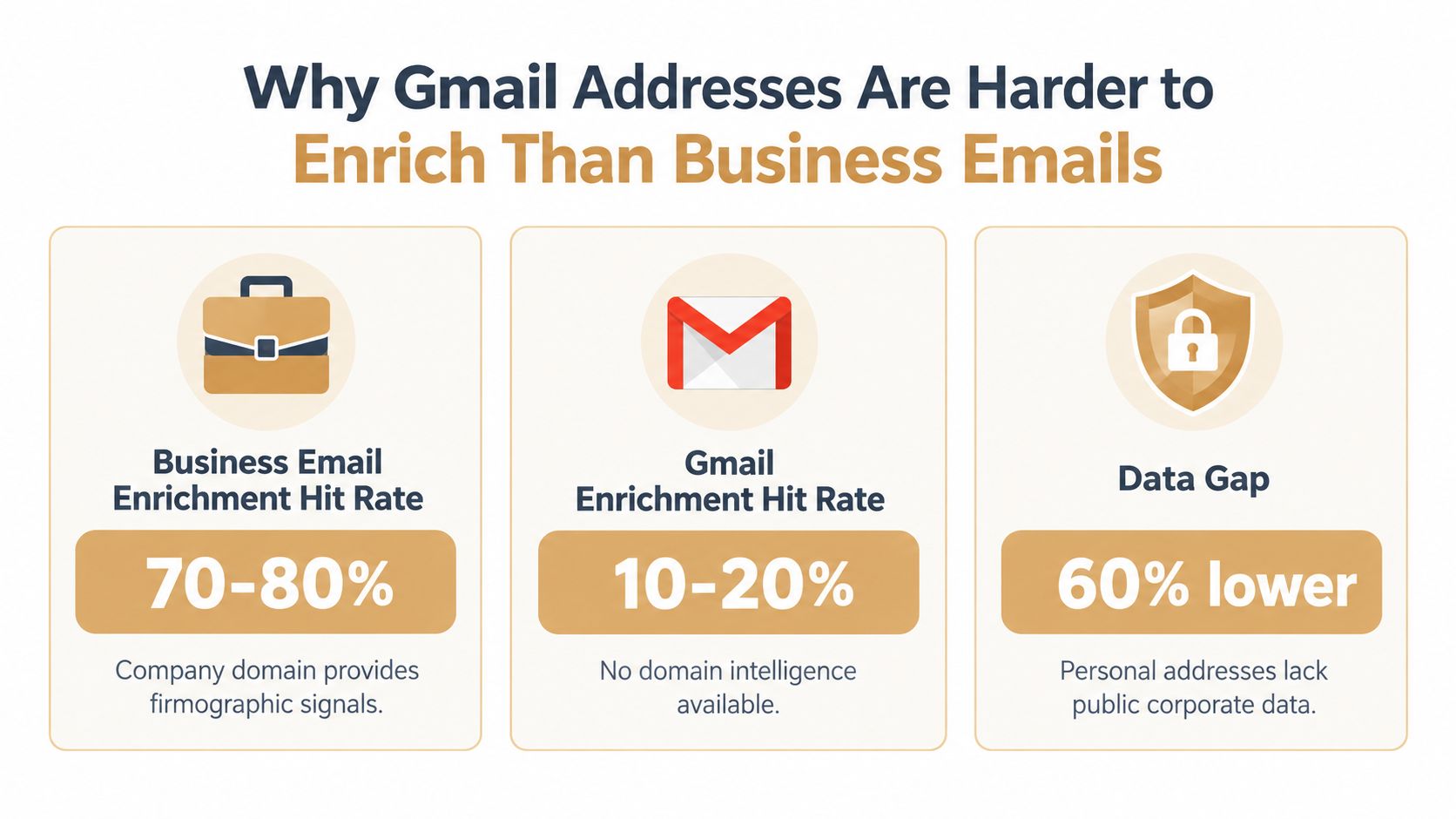
A Gmail address usually gives you far less to work with than a company email. A business domain carries employer context, naming patterns, and often public directory data. Gmail does not. That means the local part, any public profile, and a few surrounding signals have to carry the whole lookup.
Domain intelligence disappears on gmail.com
A lookup against a corporate domain can often rely on the organization itself. A Gmail address does not reveal an employer, a department, or a company naming pattern, so domain-based heuristics stop helping fast. One guide on reverse email lookup notes that good providers can match 85% to 95% of established-company business emails, while personal addresses such as Gmail often fall to 40% to 60% because they lack public professional-directory data cleanlist.ai reverse email lookup guide. That gap explains why Gmail enrichment usually produces thinner records.
The practical problem is observability. A Gmail address may be real and still leave little public trace. A company inbox often connects back to a role, a firm, or a visible web footprint. Gmail often does not, so the lookup can confirm presence without giving you a reliable identity match.
Disposable email domains and how they distort enrichment are a different issue from Gmail, but they point to the same operational rule, context matters more than the address string alone.
Coverage varies wildly across tools
Single-tool promises break down quickly. Independent benchmark-style reporting cited in industry guidance found only 24 emails, or 3.2%, matched by all four tools in a 742-contact benchmark, while 241 emails were found by exactly one provider, and hit rates ranged from 9.4% to 61.3% on the same list companyenrich reverse email lookup guide. That is a wide spread for the same input.
The practical read is simple. Gmail enrichment is probabilistic, not deterministic. Browser extensions may be fast, but one benchmark of 500 emails cited in reverse-lookup guidance found 74% accuracy paired with the highest false-positive rate, while waterfall enrichment with verification reached 96% accuracy cleanlist.ai reverse email lookup guide. For Gmail, a single hit is not enough. You need corroboration from search results, profile signals, and verification before you treat the record as usable.
Low-yield doesn't mean low value
A thin Gmail record can still be useful if it tells you the account is public enough to investigate further. The question is whether the signal supports a decision. If it does not, stop treating lookup as identity resolution and use it to gauge observability, risk, and whether a verification step is justified.
Practical Methods to Investigate a Gmail Address Without Breaking Policy
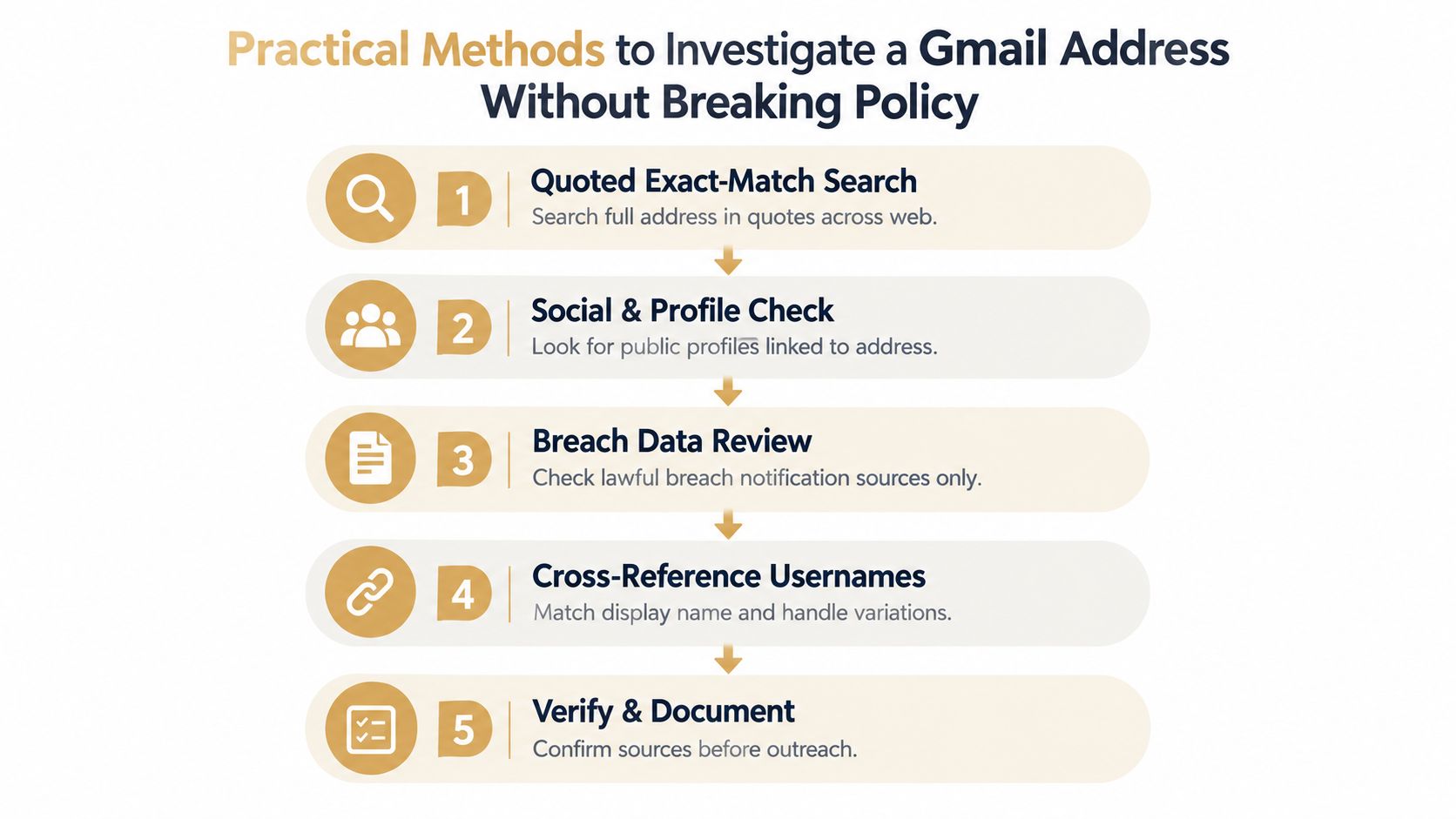
A Gmail lookup should start by asking what the address exposes, not who owns it. Open-source checks, exact-match search, public Google-profile artifacts, and mailbox verification give you a lawful way to judge observability and risk before you decide whether the address belongs in a CRM or outreach flow. One practical reference for this sequence is the EmailChaser reverse email lookup guide. None of it requires pretexting, scraping, or unauthorized access.
Start with quoted exact-match search
Put the full Gmail address in quotes and search the exact string. That forces the engine to look for literal matches on public pages, PDFs, directories, conference listings, leaked attachments, or forum posts. If the address has ever been posted openly, this is usually the fastest lawful way to surface it.
The result is often a trail, not a person record. A comment, a submission, or a page that confirms the address appeared in public still matters because it tells you the account is observable.
Reconstruct only what public signals support
If search turns up a name or profile photo, verify it against LinkedIn or another public profile before you trust it. A name by itself is not enough, and a single tool result is only a lead until a second source supports it. The useful question is whether the Gmail address can be tied to consistent public signals, not whether a tool can guess an owner.
For a marketplace seller, that can mean comparing the name in a public profile with the seller handle and public listings. For a free-trial signup, it may mean checking whether the address has any visible history before you decide it needs review. A bare Gmail with no trail is common. A bare Gmail with a public name is at least inspectable.
Verify the mailbox before you act
Mailbox verification comes last. It answers a narrower question, whether the address is live, and it belongs before you send, sync, or escalate. That matters in trust and safety work, because a verified mailbox still does not prove the person behind it is the one you think it is.
If the inbox is fresh or private, the workflow often stops after the first or second step. That is normal. A Gmail reverse lookup that ends in “not enough observable data” is still a valid outcome, because it keeps you from making an unsupported decision.
Device fingerprinting and why email alone is not enough is the next layer when abuse cases repeat across signups or logins.
Choosing the Right Enrichment and Verification Approach for Gmail
A Gmail address that looks simple on the surface often gives you three different jobs, and each one needs a different tool. If the goal is a quick lead, a browser extension can help. If the goal is dependable outreach data, enrichment plus verification is the safer route. If the goal is abuse review, username matching, public traces, and breach-history clues usually matter more than any claimed “owner” result.
| Method | Best Use Case | Accuracy and Coverage Signal | Limitation for Gmail |
|---|---|---|---|
| Browser extensions | Fast triage on a single address | Quick, but benchmarked at 74% accuracy in a 500-email test, with the highest false-positive rate cleanlist.ai reverse email lookup guide | Can overstate confidence on personal addresses |
| Waterfall enrichment with verification | Pre-send validation and CRM cleanup | Higher-confidence result, benchmarked at 96% accuracy in the same cited test | Slower and more process-heavy |
| Cross-platform username search | Abuse investigation and identity reconstruction | Useful when the same handle appears across public profiles | Depends on the user reusing the same identity |
| Breach-history and public artifact checks | Risk review and observability assessment | Useful when the address appears in public exposure or notifications | Often partial and context-dependent |
| Exact-match quoted search | One-off verification of public visibility | Strong for addresses already posted online EmailChaser reverse email lookup guide | Weak for fresh or private inboxes |
Pick by job, not by brand
A free-trial signup rarely needs a full identity match. It usually needs a call on whether the account deserves review. For a marketplace seller, the useful result may be a name that lines up with a public profile and the seller's own listings. For abuse work, the most informative outcome can be a thin trail, because a Gmail address with little public visibility does not give you much to work with on its own.
Tool variance matters too. On the same list, different providers found very different sets of contacts, and one benchmark found that 241 out of 742 contacts were found by exactly one provider companyenrich reverse email lookup guide. That is why the safer approach is signal stacking, not trust in one lookup engine.
A practical rule helps here. If you can combine exact-match search, Google identity signals, and mailbox verification, you get a clearer risk read than any single tool can provide. The point is not to identify a person from a Gmail address. The point is to decide how observable that address is, how much confidence the surrounding clues deserve, and whether the next step should be review, verification, or no action at all.
Stop when the next step needs stronger evidence
A Gmail address that returns one weak clue should not drive a block, an accusation, or an outreach decision. At that point, switch to behavioral checks or manual review. Reverse lookup is an enrichment step, not identity proof.
Lawful Tips and Privacy Guardrails for Gmail Investigations
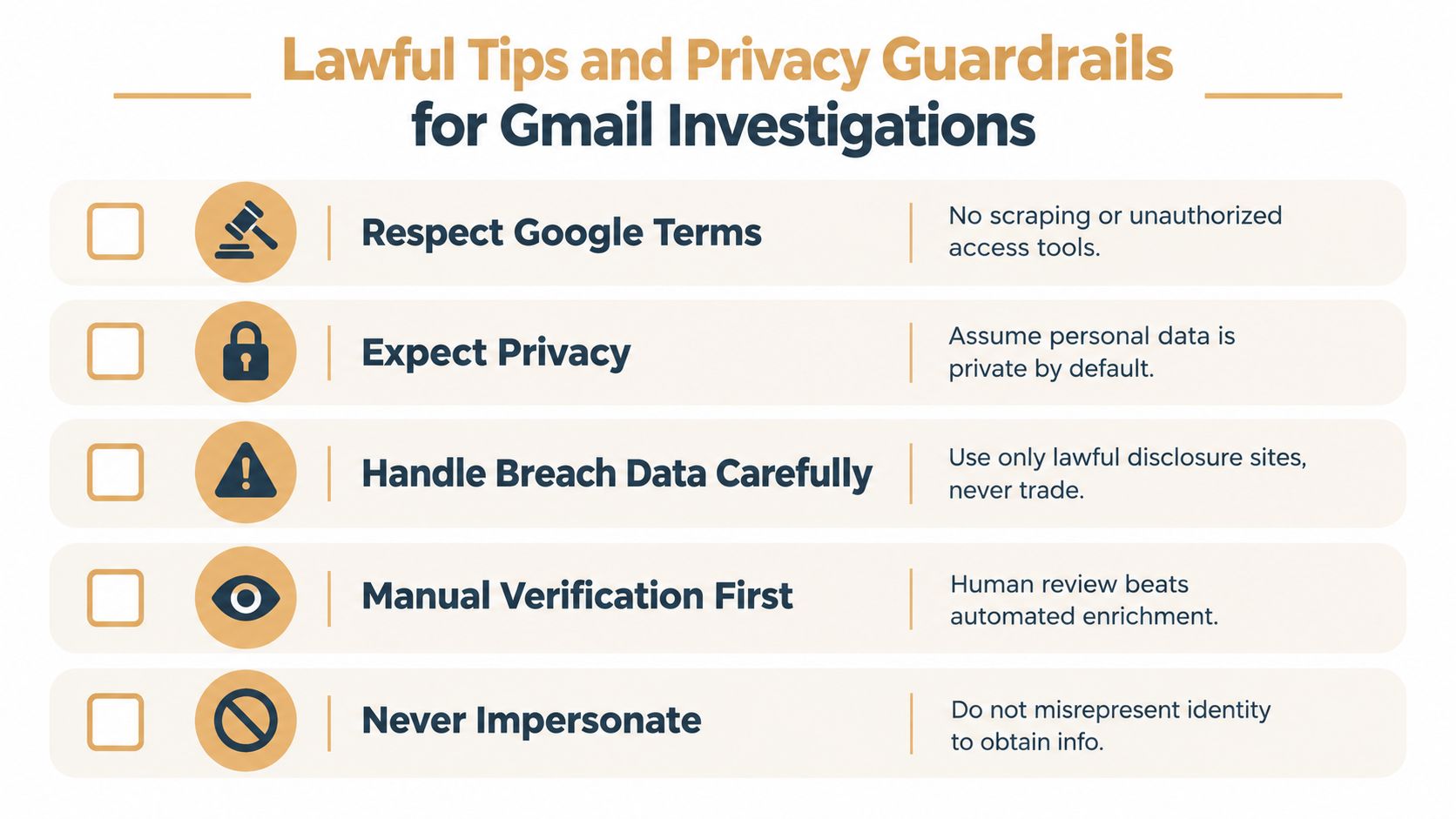
Gmail investigations go wrong when teams treat public clues like permission to overreach. The safest rule is to stay inside public, consented, and purpose-limited data use. That keeps the workflow useful without drifting into pretexting, unauthorized access, or stale data handling.
Keep the process narrow
Only use lawful disclosure sources, public profiles, and verification tools that don't require account access you aren't entitled to have. A quoted search, public profile check, and mailbox verification stay on the right side of that line. Anything that depends on impersonation, unauthorized login, or covert scraping does not.
Breach data needs special care. If an address appears in a lawful disclosure source, use it as a clue, not as a shortcut to broader exposure. Match the clue to the case, then stop.
Document why the signal is enough
A useful Gmail review log should show what you saw, why you trusted it, and what you refused to infer. That sounds bureaucratic until you need to explain a block, a review decision, or an outreach hold. When the evidence is weak, manual review is better than automation pretending to be certainty.
Decision rule: if the source trail is thin, move the case to review instead of forcing a pass or fail.
That's also where false positives creep in. Manual methods can be outdated, and public artifacts can belong to a reused address or an old profile. One 2026 guide on reverse lookup warns that generic Gmail or Outlook addresses rarely reveal anything useful unless the person posted with that exact address tomba.io Gmail email finder guide. That's not a defect, it's the nature of personal email.
Don't confuse observability with permission
A Gmail address can be visible enough to investigate and still not justify using the result for high-risk action. If the output is weak, use it to decide whether to look harder through a different lens, not to escalate on its own. That's the difference between lawful screening and overreach.
How fake accounts complicate identity checks is worth reading if you're dealing with repeated abuse patterns, because Gmail often shows up in those workflows as the thinnest available signal.
Conclusion and Next Steps for Screening Gmail Signups at Scale
Gmail reverse lookup works best when you stop expecting it to name the person and start using it to judge observability. A public profile trail, a corroborated name, or a verified mailbox can justify the next step. A bare Gmail with no public footprint usually can't.
That's why the right output is often a review decision, not a hard block. Use exact-match search, public profile reconstruction, and verification when you need one-off investigation. Use a structured screening decision when the risk is repeated signups, burner churn, or account cycling, because the email itself won't always tell you enough.
For product and trust teams, the long-term win is persistent linkage across the evidence you already control. Email, device, and payment artifacts tell a fuller story than a single inbox ever will. Gmail should be one signal in that graph, not the graph itself.
If you're building a signup, trial, or checkout flow that needs to separate low-trust Gmail addresses from real users, Portreeve gives you an inline screening layer with allow, review, and block decisions plus reason codes. Visit Portreeve to see how it fits into a lawful, low-friction review workflow for abuse-heavy events.